Be yourself; Everyone else is already taken.
— Oscar Wilde.
This is the first post on my new blog. I’m just getting this new blog going, so stay tuned for more. Subscribe below to get notified when I post new updates.
Be yourself; Everyone else is already taken.
— Oscar Wilde.
This is the first post on my new blog. I’m just getting this new blog going, so stay tuned for more. Subscribe below to get notified when I post new updates.
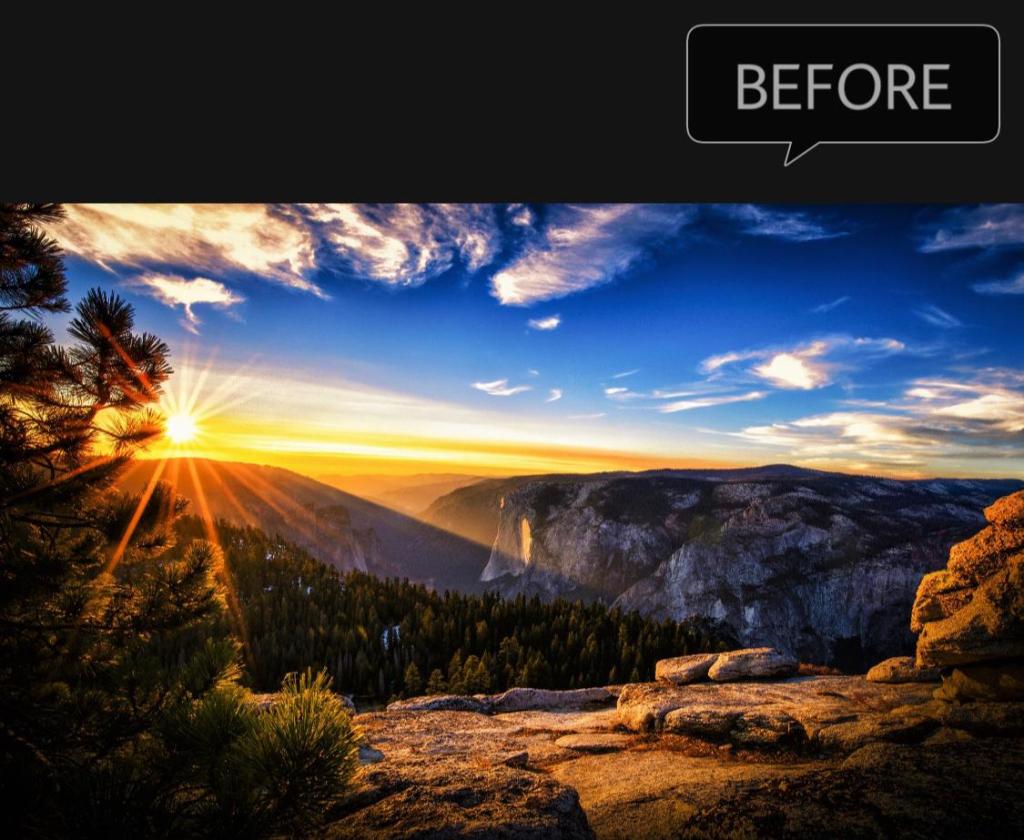
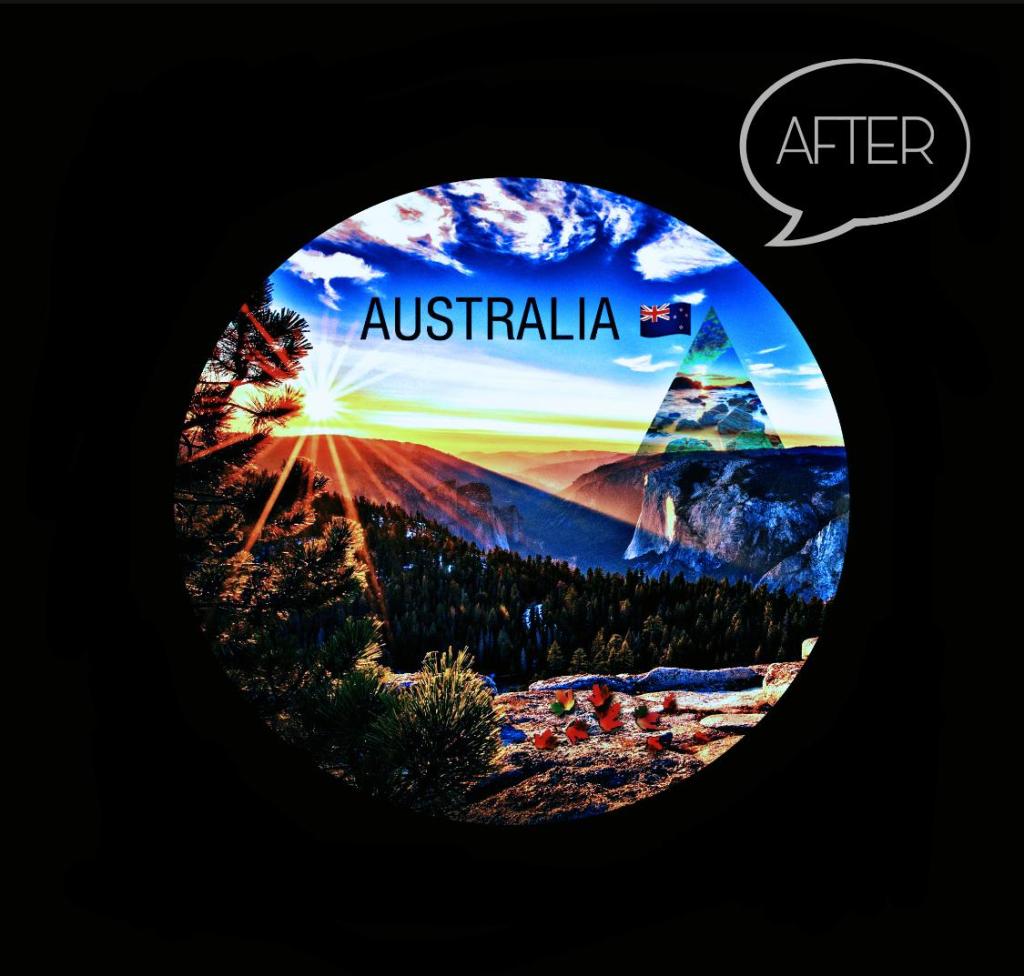
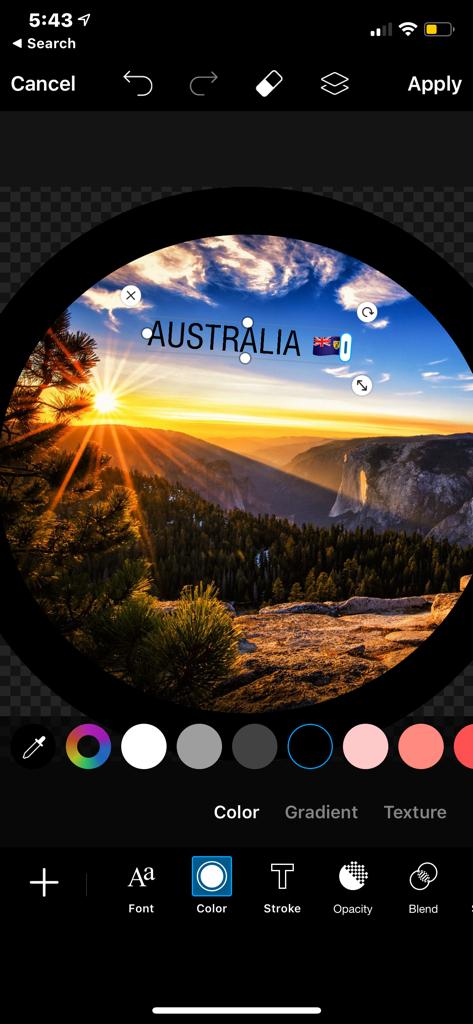
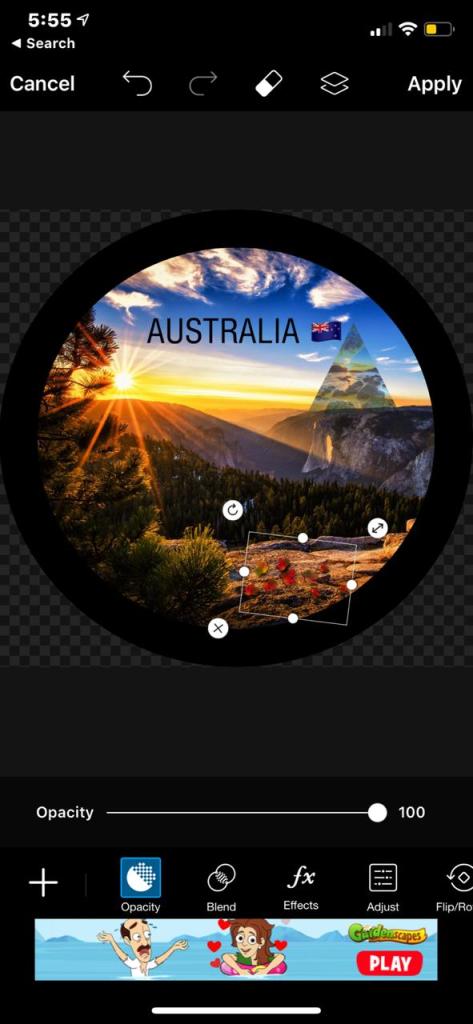
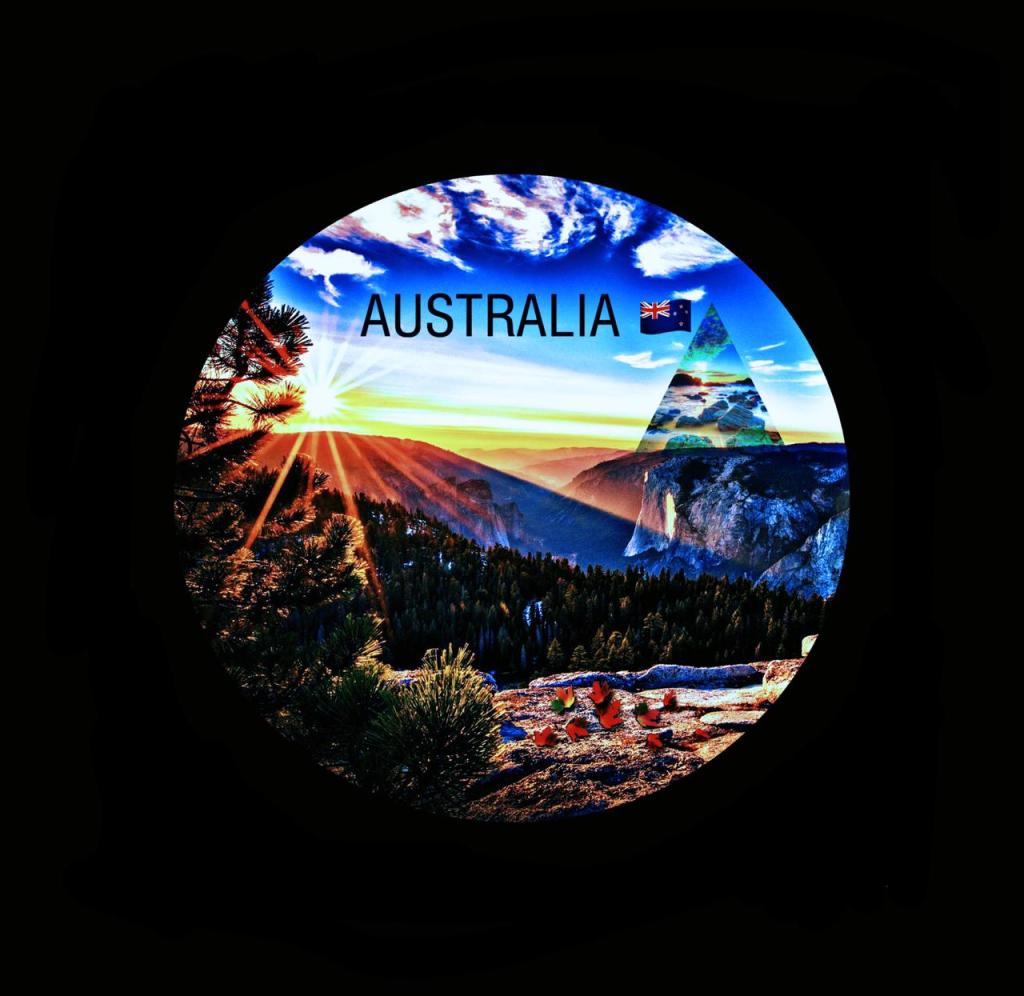
I downloaded the image (https://wallpaperaccess.com/full/108058.jpg) and edited it first, by using the picsart application where i first cropped the image into the circle shape and coloured the outer border into black colour. After that, I added the text into it with the photo of Australian flag and again downloaded another picture (https://wallpaperaccess.com/full/108107.jpg) and dragged it into the previous image by cropping it into the triangle shape.
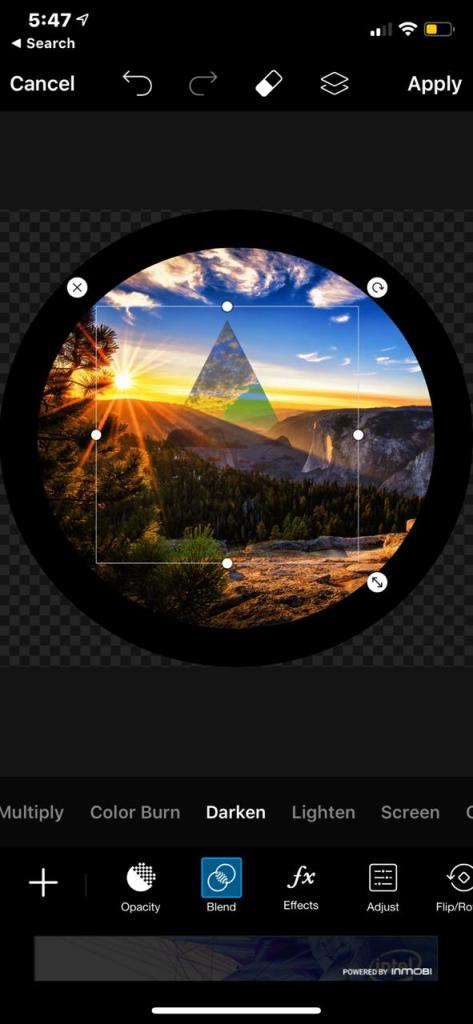
Additionally, reduced the opacity of the second image to give it a blur and faded effect. Then, at the bottom i clicked on the blend option to adjust the second image behind the mountain to give it a blended look. At last, i picked up a sticker of leaves and added it on the ground along with the vin4 filter on the image.
Blog posts are a great example of multimodality and creativity as we use filters, layouts, photographs, texts and linguistic resources to edit the image and post it as our blog post to show our creativity. As defined by Hodge and Tripp (1986), modality is ‘the perceived reality of the content ’. In other words, modality is that property (or combination of properties) of a representation which is understood as construing it as more or less real (Hodge & Tripp 1986). Moreover, multimodality is the gift of digital age where technology bring new things every day and we get new ideas and softwares to edit our photos and videos. Nonetheless, we also get to watch 3D and animated movies and play games everyday just by sitting at our home and enjoying the high definition effects. In other words, modality is not about ‘the absolute truth or untruth of representations’, but about ‘whether a given “proposition” (visual, verbal or otherwise) is represented as true or not’ (Kress & Van Leeuwan 2006).
This was the last and the third digital publishing post in the wordpress where i think i did quite better and improved than last two posts. Teacher’s reviews helped the most to bring the changes and correct the mistakes that i did in the last two posts. Moreover, for this post i tried to edit the video and upload it on the wordpress but i was unable to upload the videos because of some upgrade options. However, i managed to make a post at the last moment with the reflection and i hope this will work for my last digital publishing post. Hence, it was an amazing experience in editing photos and videos and got to learn a lot from Lynda.com that our teacher prefer to have a look at.
References
Hodge. R, & Tripp. D., 1986, ‘Children and Television: A Semiotic Approach’, Cambridge Polity
Kress. G, & Van. L. T., 2006[1996], ‘Reading Images: The Grammar of Visual Design’, London: Routledge
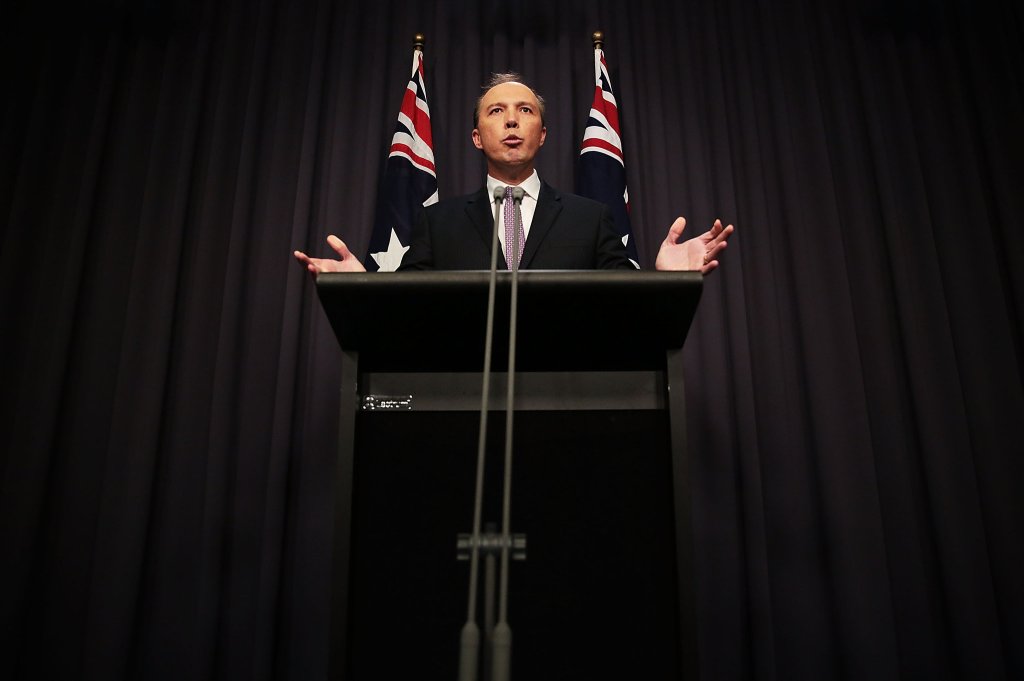
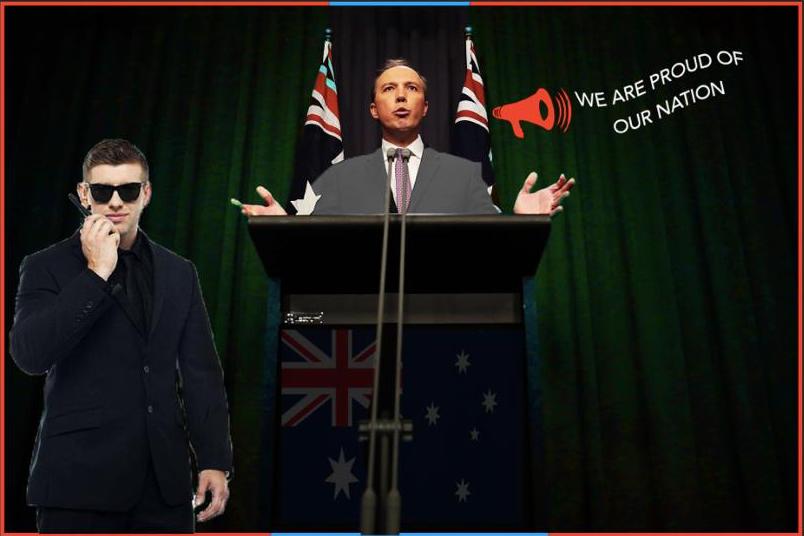
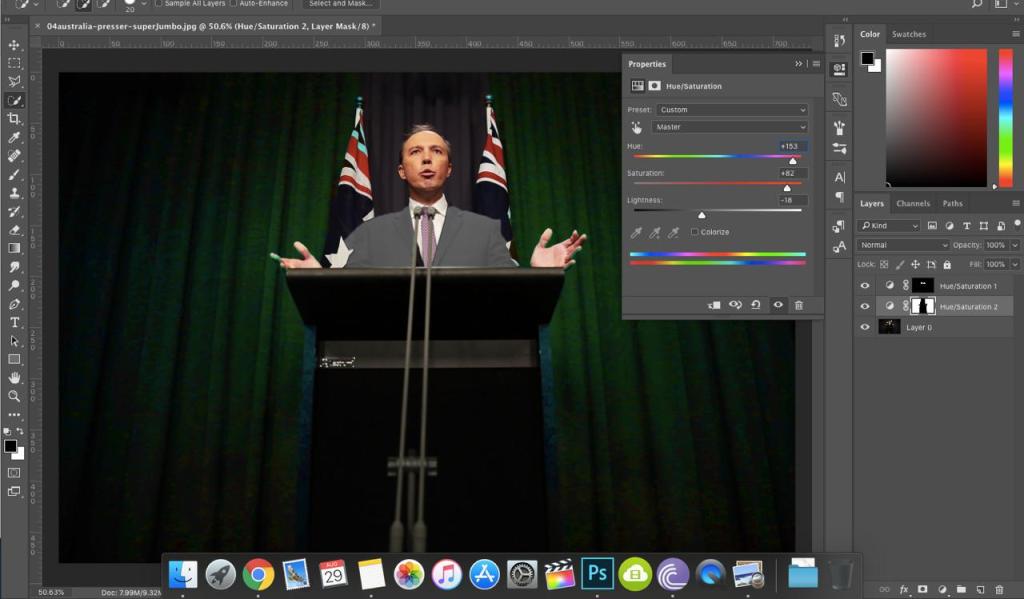
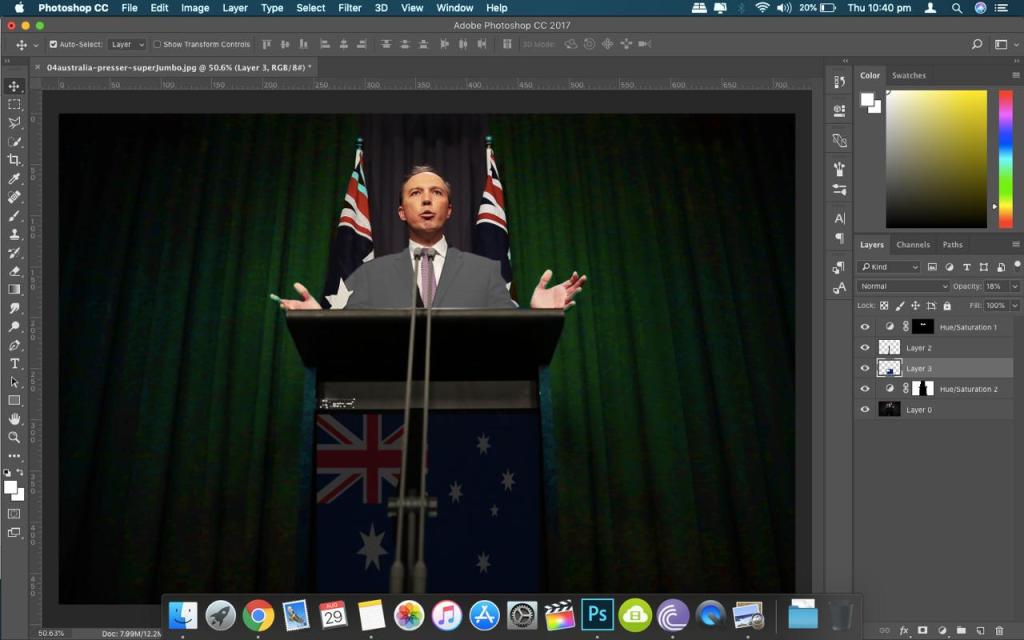
Utilising Adobe Photoshop CC 2017 software, Firstly, I started with changing the background and clothes of the Minister giving the speech that I downloaded from The New York Times (2016). On the right side, we can see a Hue/Saturation option by clicking on the layers, which we used to change the colour of the curtain into green and colour of coat into grey and also managed some brightness and lightning in the background. After that, using a picture of Australian Flag from my gallery, I fixed the image of the map on the speech stand behind the mic and decreased the opacity to make it look lighter and pale.
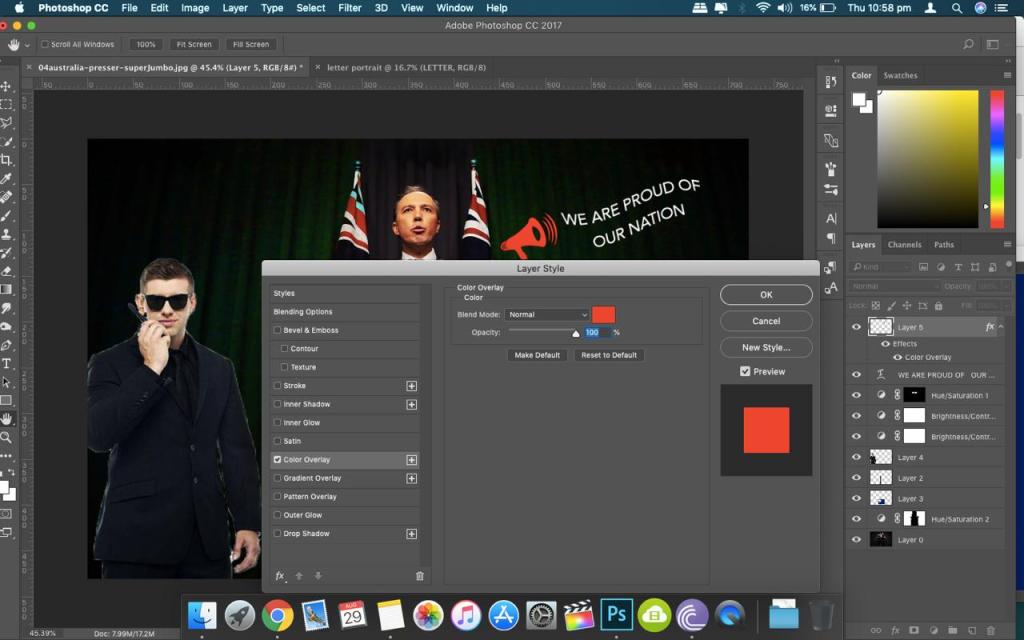
Further, I attached the image of a security guard with a walkie- talkie in his hand, which I got from IMGBIN (2019) just to give it a new and transformed look. At last, fixed an image of speaker downloaded from Clipart (http://clipartportal.com/speaker-clipart-png-2/) on the right side with a written expression “We are proud of our nation” and added a border for a defining and lucid appearance of the image.
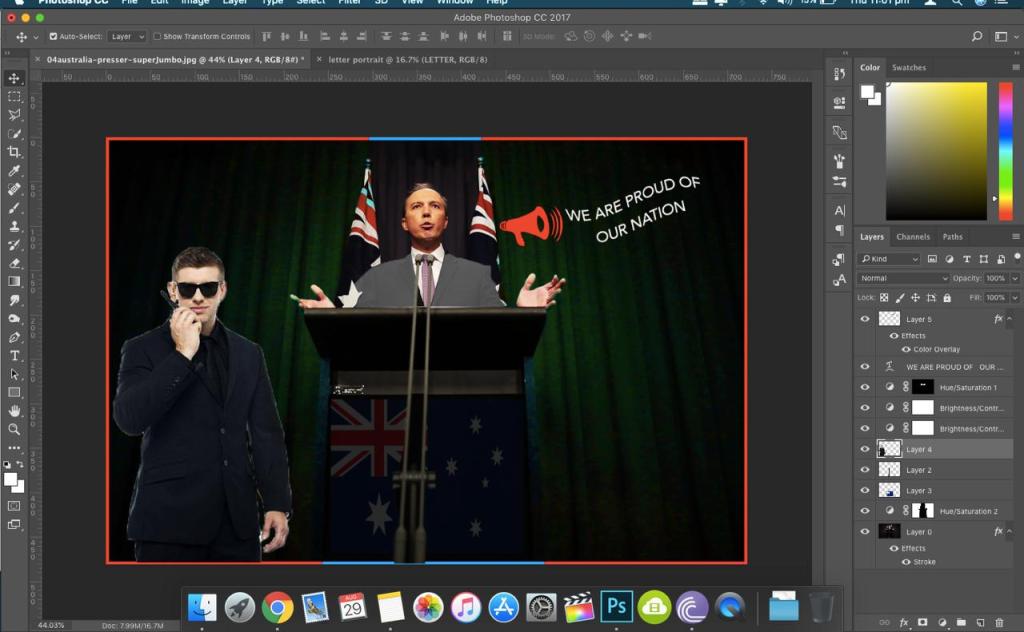
The image that is being manipulated is the picture of Australia’s immigration Minister Peter Dutton, who gave a speech against “False Hope” to asylum seekers (New York Times 2016). Moreover, this transformation offers the ultimate User Experience with the unique and powerful aura of attraction to the audience. The fact that we do transformations in our everyday life whether it is applying filters on our pictures to make it look more beautiful or recording videos with a different sound and colour effects are the evident examples of digital literacy. Digital Literacy is the awareness, attitude and ability of individuals to appropriately use digital tools and facilities to identify, access, manage, integrate, evaluate, analyse and synthesize digital resources (Martin, 2005, p. 135) Overall, this is my second blog post for Assessment 4 and I hope i did it better than my first blog post. In this blog post, i think i was able to make some appeared changes and improved a little than before. However, in my first blog post i lacked in editing and representing my post effectively but this time and at other times in future, whenever i will be uploading my new blog posts i will learn from my previous mistakes.
References
Innis, M. 2016, Australia Chides Rights Advocates for Giving ‘False Hope’ to asylum seekers, Australia, Viewed 29 August 2019, <https://www.nytimes.com/2016/05/04/world/australia/nauru-detention-centre-refugee-self-immolations.html>
Intsec. 2019, Walkie-talkie Two-way Radio Security Guard Police Officer PNG, Viewed 29 August 2019, <https://imgbin.com/png/bsX5EQNq/walkie-talkie-two-way-radio-security-guard-police-officer-png>
Martin. 2005, Can we teach digital natives digital literacy?, pp.135


I changed this photo that I downloaded from the internet (Matt Kloskowski 2019) using two editing software, one was airbrush, and another one was PS Express. Firstly, I applied the PDX-2 filter from the Portland filter option through the airbrush software and by using that filter, I got this result:
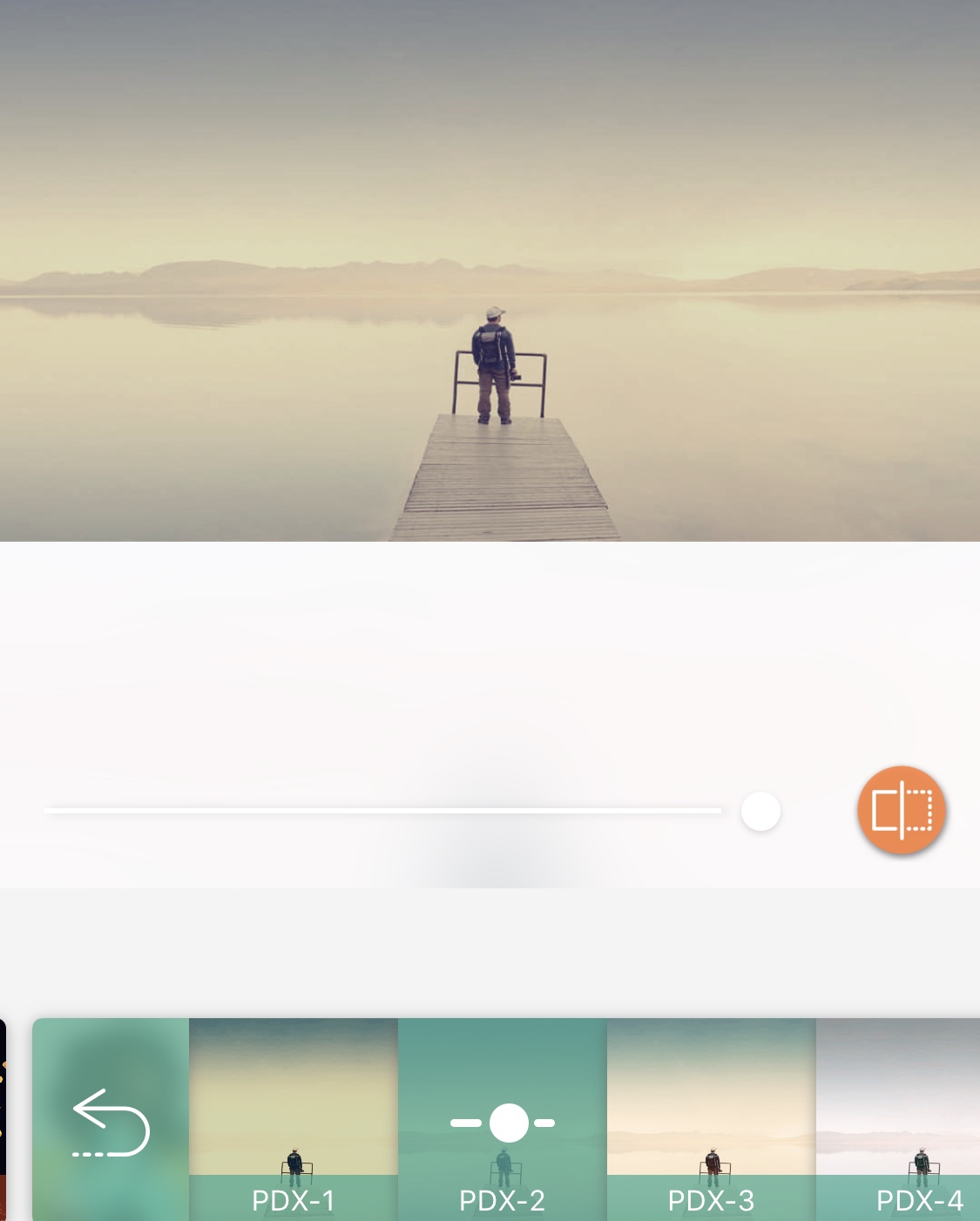
Secondly, I used the PS Express software to transform it even further by applying Sepialll filter, which gave it a beautiful contrast with the more defining look of the picture. At last, I used Vignette Black filter to provide it with incredible black edges and a lightening effect on the top of the photograph. These all filters completely transformed the picture and gave it a creative visual look.
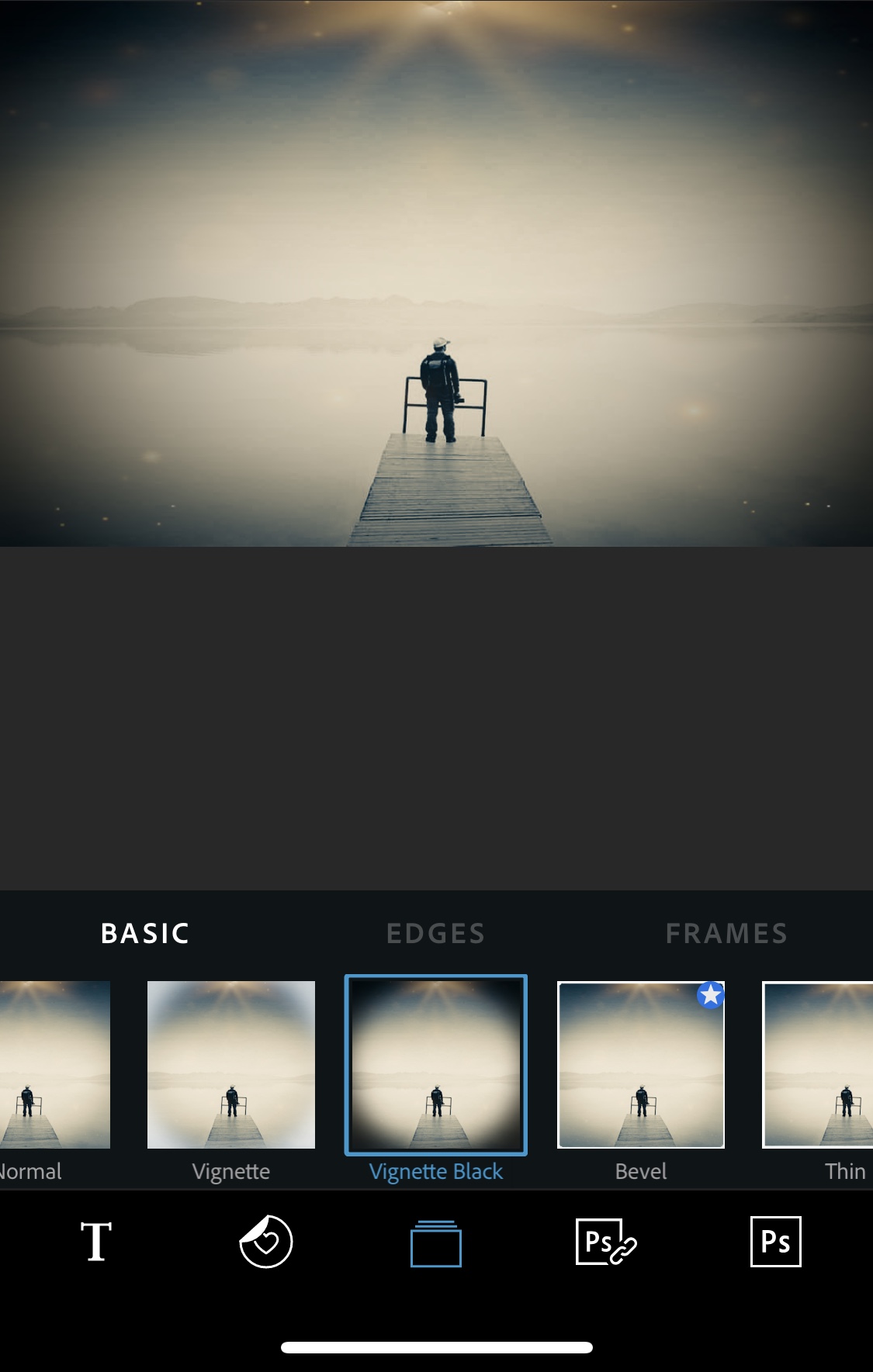
Furthermore, the photos are edited with the motive to give a new Visual experience to the users and sometimes to hide the original definition of the picture. “In dark UX, color theory is manipulated to misdirect, language is used to confuse rather than clarify, and the user is exploited to boost company reach or profits” (Just in mind 2017). Additionally the photo i edited, only includes the change in the colour contrast of the picture and it gives the dark look to the picture from the bright blue colour and this highlights the theory of 5 common UX dark patterns and user-friendly alternatives (2017) it says that the dark patters are used to misdirect the users from the original meaning of the photograph and it sometimes can work for short term but in long term it can be loss for the editors.
Lastly, i have made two posts in my wordpress account and this is my second post which i edited myself. It was a new experience for me but the guidance given in the class helped me a-lot to complete my Assessment 4 and to make my second post on the wordpress.
References
Kloskowki, M. 2019, Mattk,”A Huge (But Simple) Practice To Help Your Photography and Editing”< >
Just In Mind. 2017, UX Planet,”5 common UX dark patterns and user-friendly alternativesJust In Mind”< https://uxplanet.org/5-common-ux-dark-patterns-and-user-friendly-alternatives-6c8c2f127242 (Links to an external site.>
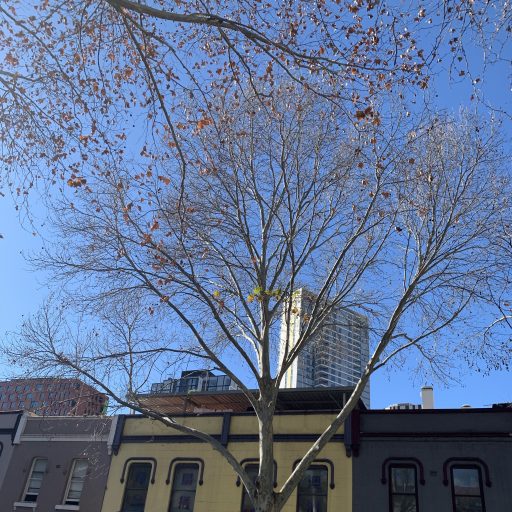
Digital literacy is a method of utilising technology for the process of communicating and imparting thoughts and ideas with others. According to the concept proposed by Prensky (2001) those who are born in or after 1980 are known as digital natives as their lives revolve around the internet and they also learn from their previous generations. Moreover, digital literacy is an outcome of three broad dimensions, that are; technical, cognitive and the social emotional dimensions(Ng, 2012). Where technical dimension highlights the use of technical and specialised abilities to connect to the world and learn new activities such as using electronic devices like earphones and speakers. Secondly, cognitive dimension emphasizes the thinking and understanding capacity of digital natives, like how to use the searched information in an appropriate way and what resources must be used to gather the required information. Lastly the social emotional dimension is an area where you are responsible for your activities and you need to be thoughtful regarding your and others privacy. Additionally, as discussed in our class, examples of digital literacy are; sending an email, using social media, attaching documents or pdf files to an email, submitting assignments and managing online storage are some of the traits of digital literacy.
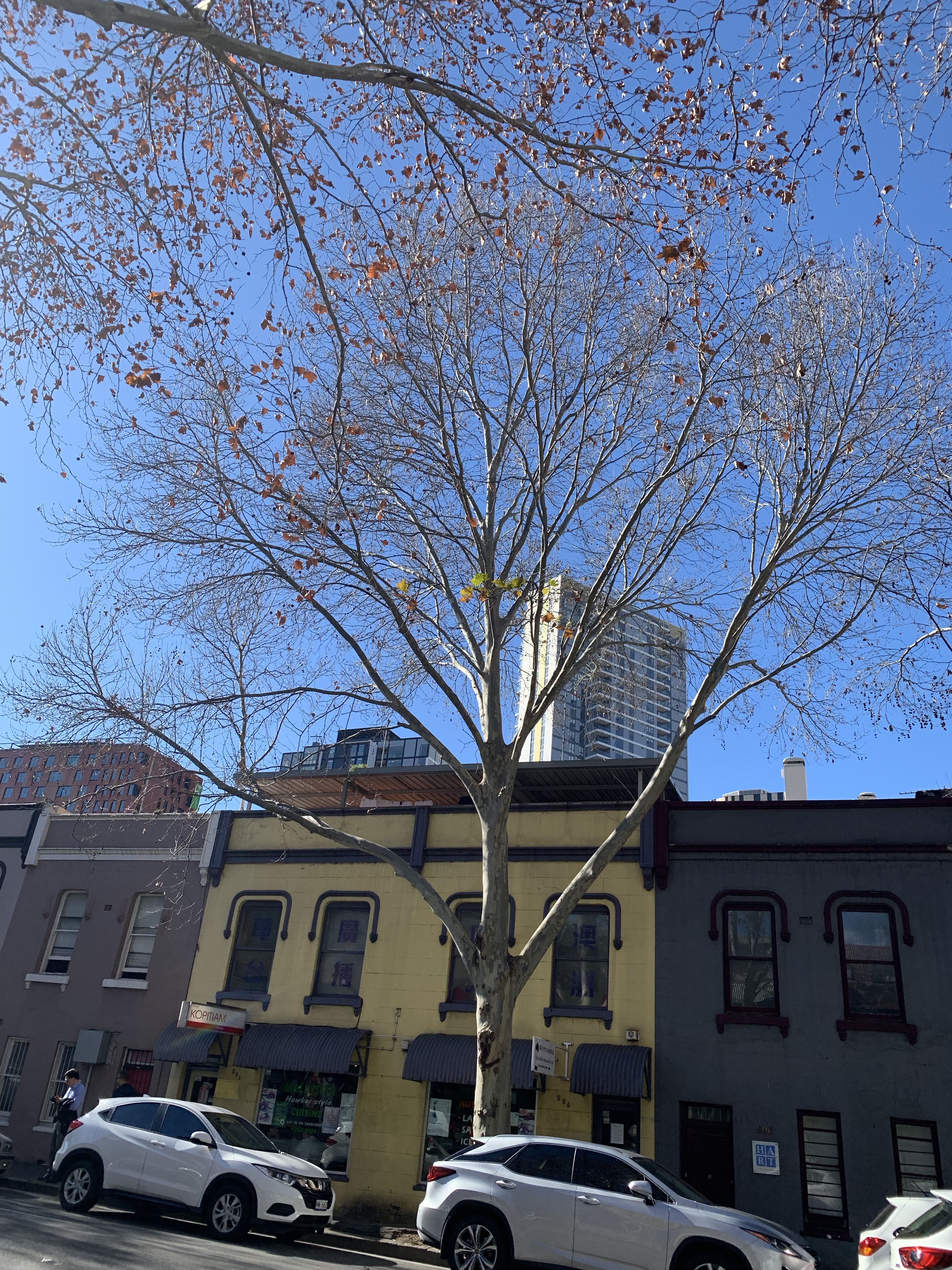
This is an example post, originally published as part of Blogging University. Enroll in one of our ten programs, and start your blog right.
You’re going to publish a post today. Don’t worry about how your blog looks. Don’t worry if you haven’t given it a name yet, or you’re feeling overwhelmed. Just click the “New Post” button, and tell us why you’re here.
Why do this?
The post can be short or long, a personal intro to your life or a bloggy mission statement, a manifesto for the future or a simple outline of your the types of things you hope to publish.
To help you get started, here are a few questions:
You’re not locked into any of this; one of the wonderful things about blogs is how they constantly evolve as we learn, grow, and interact with one another — but it’s good to know where and why you started, and articulating your goals may just give you a few other post ideas.
Can’t think how to get started? Just write the first thing that pops into your head. Anne Lamott, author of a book on writing we love, says that you need to give yourself permission to write a “crappy first draft”. Anne makes a great point — just start writing, and worry about editing it later.
When you’re ready to publish, give your post three to five tags that describe your blog’s focus — writing, photography, fiction, parenting, food, cars, movies, sports, whatever. These tags will help others who care about your topics find you in the Reader. Make sure one of the tags is “zerotohero,” so other new bloggers can find you, too.
Have a WordPress.com account? Log in now.